Drafts, priorities and answers that read the room
Optional AI help that drafts replies in your tones, flags urgent messages and suggests tags, while your team stays in control.
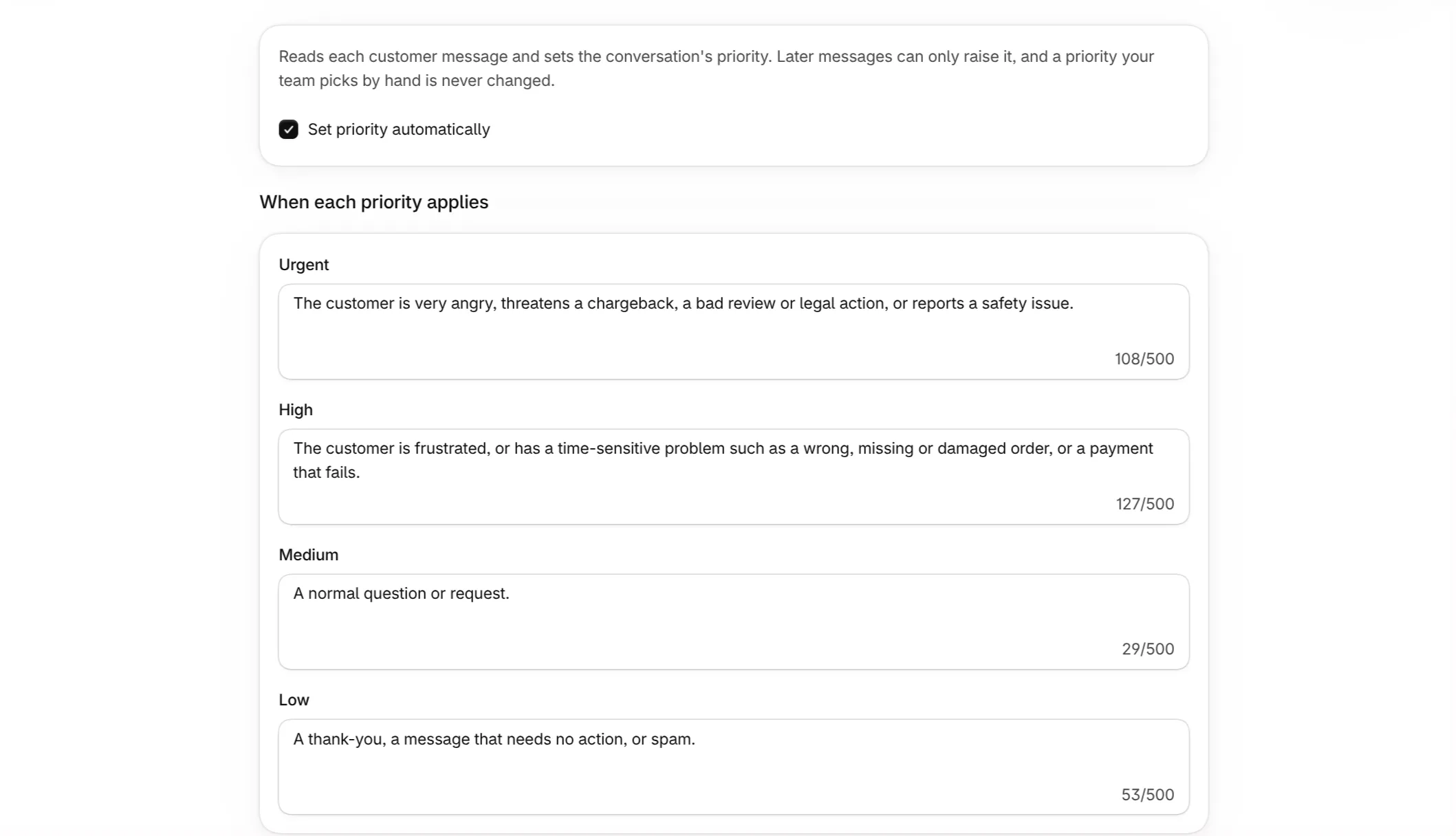
Every assistant feature is optional and can be turned off in Settings.
- Reply drafts in your tones. Describe how you write, for example “Friendly” or “Formal and brief”, and Ferry Desk suggests a draft in that tone for your team to edit and send.
- Automatic priority. Ferry Desk reads the customer’s tone and raises priority when a message is urgent. It only ever raises priority, and never changes a priority your team set by hand.
- Tag suggestions. New messages get suggested tags that your team accepts or dismisses with one click.
- Saved replies and automatic replies. The same assistant suggests saved replies in the composer and answers common questions on its own. Both have their own sections above.
More of Ferry Desk
- Email and chat in one shared inboxEvery customer email and storefront chat becomes a conversation your whole team can see, assign and resolve from the Shopify admin.
- Every conversation becomes a task on one boardSwitch the inbox to a board and see all support work in one screen, from new to done, with who owns each conversation and how long the customer has waited.
- Live chat that looks like your storeAdd a chat bubble to your Online Store theme with an app embed, styled from the theme editor with no code.
- Refund, cancel and add tracking without leaving the threadAttach the order a customer is writing about, then act on it from the order panel beside the conversation.
- Answer common questions the moment they arriveDescribe the questions customers ask most and write your answer once. The assistant recognizes them in context and replies right away, using the customer's real order details.
- Saved replies, suggested at the right momentKeep your best answers as saved replies with customer and order variables, and let Ferry Desk suggest the right one as each new message comes in.
- Reply time SLAs your team can see at a glanceSet how long a customer can wait before a conversation needs attention, is in danger or is critical. Waiting times change color across the inbox and board as each threshold passes.
- Support customers in their languageFerry Desk detects the language of each customer message and translates it into the language your team works in.
- Stay on top of support from anywhere in ShopifyNotifications for mentions, assignments and watched conversations, and a Sidekick that can search and report on your inbox.